
Resolution is one of the most consequential choices in a gaming PC setup, because it affects nearly everything else — how much GPU power you need, how big your monitor should be, and how much you’ll spend overall. 1080p, 1440p, and 4K aren’t just “sharper vs less sharp” — they represent very different demands on your hardware and very different ideal viewing setups. This comparison lays out the real differences so you can pick the resolution that actually fits your GPU, your monitor size, and your budget.
| Factor | 1080p (Full HD) | 1440p (QHD) | 4K (UHD) |
|---|---|---|---|
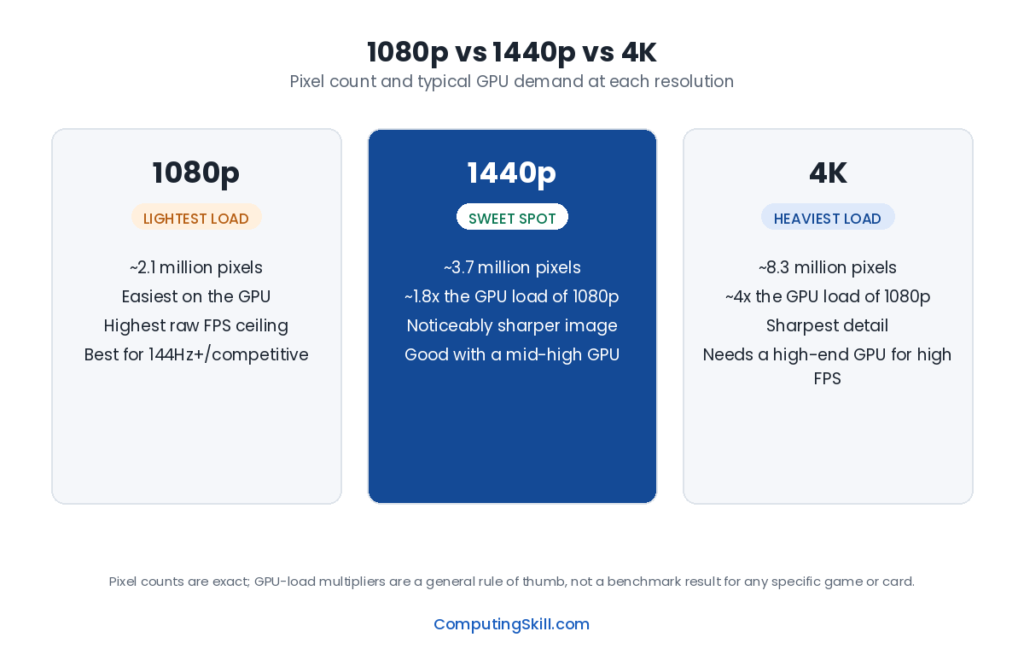
| Pixel count | 1920×1080 (~2.1 million pixels) | 2560×1440 (~3.7 million pixels) | 3840×2160 (~8.3 million pixels) |
| Pixels vs. 1080p | Baseline | ~1.8x more pixels | ~4x more pixels |
| GPU demand | Lowest — easiest to hit high frame rates | Moderate — meaningfully more demanding than 1080p | Highest — requires a strong GPU for good frame rates |
| Typical monitor size sweet spot | 21-25 inches | 27-32 inches | 32 inches and up (or smaller with very high pixel density) |
| Monitor price | Cheapest, most widely available | Moderate premium over 1080p | More expensive, especially at high refresh rates |
| Best fit for | High-refresh competitive gaming, budget builds | Balanced visual quality and performance | Visual fidelity, content creation, large screens |
The Visual Difference
Each step up in resolution roughly multiplies the pixel count rather than just nudging it. 1440p has about 1.8 times as many pixels as 1080p, and 4K has about four times as many pixels as 1080p. More pixels means finer detail, sharper text, and less visible “stair-stepping” on edges and fine textures, particularly noticeable on larger screens or when sitting closer to the monitor.
That said, the visible benefit of higher resolution depends heavily on screen size and viewing distance. On a small screen viewed from a normal desk distance, the human eye may not be able to distinguish much additional detail between 1440p and 4K, because pixel density is already high enough that individual pixels aren’t distinguishable at either resolution. The benefit becomes much more obvious as screen size increases, since the same pixel count gets stretched over more physical area, reducing pixel density unless resolution increases to compensate.
GPU Horsepower Required at Each Resolution
Because GPU workload scales with pixel count, moving up in resolution is one of the most direct ways to increase the demands placed on your graphics card, independent of any other setting.
1080p
The lightest load on the GPU of the three. Even mid-range and some budget GPUs — cards in the RTX 4060 / RX 7600 tier — can comfortably hit high frame rates at 1080p in most games, which is exactly why 1080p remains the standard for competitive, high-refresh-rate gaming where frame rate matters more than maximum visual fidelity. At this resolution, it’s common for the CPU rather than the GPU to become the limiting factor, especially with a capable graphics card — see CPU Bottleneck Explained for why that happens.
1440p
A meaningfully heavier load than 1080p — GPUs need noticeably more headroom to sustain high frame rates. Mid-range to upper-mid GPUs, in the RTX 4070 / RX 7800 XT tier, are generally the sweet spot for solid 1440p performance at good settings, though budget cards can still handle 1440p at more moderate settings or frame rate targets.
4K
The heaviest load by a wide margin — roughly four times the pixel-shading work of 1080p. Sustaining high frame rates at 4K, especially with demanding settings or ray tracing enabled, generally requires a high-end GPU, in the RTX 4080 / RTX 4090 / RX 7900 XTX tier and above. Lower and even some mid-range GPUs can still run 4K, but often require lowering settings or accepting lower frame rates, or leaning on upscaling technology to make up the difference. See GPU Bottleneck Explained for why the GPU becomes the clear limiting factor as resolution climbs.
Monitor Size and Viewing Distance
Resolution and screen size are linked — the “right” resolution for a given screen size is about keeping pixel density high enough that individual pixels aren’t distracting at your normal viewing distance.
- 1080p looks sharp on smaller screens (roughly 21-25 inches) at typical desk distances. Stretched across a much larger screen, pixel density drops and individual pixels can become more noticeable.
- 1440p is a strong match for the popular 27-inch monitor size, and holds up reasonably well up to around 32 inches, offering a solid balance of sharpness and manageable GPU demand.
- 4K comes into its own on larger screens — 32 inches and up — where the extra pixel count is needed just to maintain sharp detail, and is also popular on smaller high-density screens for content creation work where fine detail and color accuracy matter.
Price Considerations
Resolution affects your budget on two fronts: the monitor itself and the GPU needed to drive it well. 1080p monitors are the cheapest and most widely available, and the GPU needed to run games well at 1080p is correspondingly the least expensive tier. 1440p monitors carry a moderate premium, and pairing one with a GPU capable of doing it justice pushes your GPU budget up a tier as well. 4K monitors, especially ones with high refresh rates, are the most expensive of the three, and a GPU capable of strong 4K performance is typically the most expensive component in the entire build. It’s worth budgeting for the monitor and GPU together, rather than choosing one without considering the other — a 4K monitor paired with a budget GPU will leave a lot of performance on the table.
Which Should You Choose?
If competitive, high-refresh-rate gaming is your priority — fast-paced shooters where frame rate and responsiveness matter more than visual fidelity — 1080p paired with a mid-range GPU remains the most efficient choice, letting you hit very high frame rates without needing top-tier hardware.
If you want a genuine visual upgrade over 1080p without needing flagship-tier GPU hardware, 1440p is the honest sweet spot for most gamers today. It offers a clearly sharper image, works well on the popular 27-inch monitor size, and is attainable with mid-range GPUs rather than requiring the most expensive cards on the market.
If your priority is visual fidelity, you have a larger monitor (32 inches or more), do content creation work where extra detail helps, or you simply want the best-looking image and are willing to pay for the GPU that can drive it, 4K is worth it — but go in accepting that you’ll need a genuinely high-end GPU to sustain good frame rates, and budget for that GPU as part of the decision rather than as an afterthought. Buying a 4K monitor and pairing it with a budget or mid-range GPU is one of the more common mismatches in PC building, and it typically means either turning settings way down or accepting lower frame rates than you’d get from matching your GPU to a lower resolution.
Frequently Asked Questions
Is 1440p a big enough upgrade over 1080p to be worth it?
Yes, for most people the visual difference is clearly noticeable, especially on 27-inch and larger monitors, and modern mid-range GPUs can drive 1440p well without needing flagship-tier hardware, making it a good value step up.
Do I need a 4K monitor to notice a difference from 1080p?
On smaller screens at typical desk viewing distances, the difference can be subtle. On larger screens (32 inches and up) or when sitting closer to the display, the extra sharpness of 4K becomes much more noticeable.
Can a budget GPU run 4K at all?
It can technically run 4K, but usually only by lowering settings substantially or accepting lower frame rates, since budget GPUs aren’t designed with 4K’s much heavier pixel-shading workload in mind. Strong, sustained 4K performance generally requires a high-end GPU.
Why do competitive gamers still prefer 1080p over 1440p or 4K?
Because 1080p’s lighter GPU workload makes it much easier to sustain very high frame rates on high-refresh-rate monitors, which matters more than visual fidelity in fast-paced competitive games where responsiveness is the priority.
Does resolution affect anything besides visual quality and GPU load?
Yes — higher resolutions also mean larger file sizes for screenshots and recorded video, and can increase VRAM usage for textures at a given quality setting, which is worth checking with the GPU VRAM Calculator if you’re targeting 4K.