VRAM shortages cause a very specific kind of frustration: your GPU seems powerful enough on paper, but you still get stuttering, texture pop-in, or a sudden frame rate crash the moment a game’s memory needs exceed what the card physically has. Unlike a slow GPU core, which just gives you a lower but stable frame rate, running out of VRAM often causes sharp, inconsistent drops. This guide breaks down how much VRAM you actually need at each resolution and settings level, with real GPU examples pulled from current hardware, so you know what to look for before you buy.
Quick answer
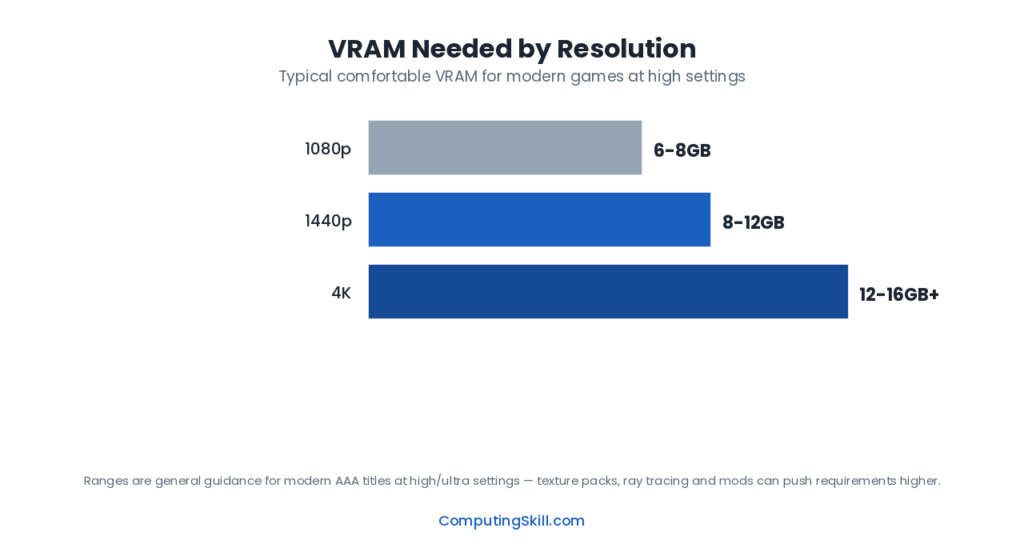
Target roughly 8GB for 1080p, 12GB for 1440p, and 16GB or more for 4K at high settings, with extra headroom needed on top if ray tracing is enabled. These are practical planning targets rather than hard cutoffs, since a card with slightly less VRAM can still run a game but is more prone to stutter and texture issues.
Quick Reference: VRAM by Resolution
| Resolution | High Settings, No RT | High Settings + Ray Tracing |
|---|---|---|
| 1080p | 6-8GB | 8-10GB |
| 1440p | 8-10GB | 10-12GB |
| 4K | 12-16GB | 16GB+ |
These are practical planning targets, not hard cutoffs — a card with slightly less VRAM than the target can still run a given game, often by dropping texture quality slightly or relying more on upscaling, but it will be more prone to stutter and texture issues as you approach the card’s memory ceiling.
Why VRAM Matters Separately From GPU Speed
VRAM capacity and GPU core performance are two independent bottlenecks that happen to live on the same piece of hardware. Core performance — determined by shader count, clock speed, and architecture — decides how many frames a GPU can render per second when it has all the data it needs close at hand. VRAM capacity decides whether that data (textures, geometry, render targets, ray tracing acceleration structures) fits in the card’s own fast memory at all.
When a game needs more VRAM than a card has, the system has to fall back to slower solutions: reducing texture resolution on the fly, streaming data in and out of memory more aggressively, or in the worst case relying on much slower system RAM over the PCIe bus. Any of these shows up as stuttering, texture pop-in, or blurry textures that never load in at full quality, regardless of how fast the GPU core itself is. This is why a card can have a fast core and still feel choppy in a specific game — the bottleneck isn’t compute, it’s memory. Our VRAM overview page covers the underlying hardware side of this if you want more background.
1080p Gaming: 8GB Is the Practical Baseline
At 1080p, frame buffers and most render targets are small enough that VRAM pressure comes mainly from texture quality settings and background overhead rather than resolution itself. 8GB comfortably covers the vast majority of current games at high settings without ray tracing. The GeForce RTX 4060 and Radeon RX 7600, both built with 8GB of VRAM, are positioned squarely for this tier.
Turning on ray tracing at 1080p adds BVH (bounding volume hierarchy) structures and denoising buffers on top of the rasterization baseline, which is enough to push some titles past what an 8GB card can hold onto comfortably. It’s still playable in most cases, but it’s the point where a 10-12GB card starts to show a real, noticeable advantage in stutter reduction rather than just headroom on a spec sheet.
1440p Gaming: 10-12GB Is the Sweet Spot
1440p has roughly 1.8 times the pixel count of 1080p, so frame buffers, shadow maps, and post-processing render targets all scale up accordingly. 12GB cards — the GeForce RTX 4070, RTX 4070 Super, and RTX 5070, along with AMD’s Radeon RX 7700 XT — are built for exactly this resolution tier, and their memory capacity holds up well whether or not ray tracing is enabled.
This is also the resolution where VRAM headroom decisions genuinely matter for how long a GPU stays comfortable. A 1440p gamer buying today who plans to keep the card for four or five years is better served by 12GB than by an otherwise similar card with only 8GB, because VRAM requirements in new titles have consistently trended upward with each console generation and engine update.
4K Gaming: 16GB Minimum, More for Ray Tracing
4K has four times the pixel count of 1080p, and at this resolution VRAM becomes the resource most likely to run short before GPU core performance does in a lot of titles. 16GB, found on the GeForce RTX 4080 and RTX 5080 as well as AMD’s Radeon RX 7800 XT, is the realistic minimum for high-setting 4K gaming without constant compromise.
For 4K with ray tracing enabled, or for future-proofing against upcoming titles with heavier asset streaming, cards with even more headroom pull ahead: the GeForce RTX 4090 and RTX 5090 offer 24GB and 32GB respectively, and AMD’s Radeon RX 7900 XTX offers 24GB. These capacities exist specifically because 4K plus ray tracing plus high-resolution texture packs is the most VRAM-hungry combination in current gaming, and a card at this tier is expected to have enough memory that VRAM capacity essentially stops being the limiting factor at all.
Real GPU VRAM Examples
| Model | VRAM | Memory Bus | TDP | Recommended PSU |
|---|---|---|---|---|
| GeForce RTX 4060 | 8 GB GDDR6 | 128-bit | 115W | 550W+ |
| GeForce RTX 4070 | 12 GB GDDR6X | 192-bit | 200W | 650W+ |
| GeForce RTX 4070 Super | 12 GB GDDR6X | 192-bit | 220W | 650W+ |
| GeForce RTX 4080 | 16 GB GDDR6X | 256-bit | 320W | 750W+ |
| GeForce RTX 4090 | 24 GB GDDR6X | 384-bit | 450W | 850W+ |
Sources: manufacturer specifications for GeForce RTX 4060, GeForce RTX 4070, GeForce RTX 4070 Super, GeForce RTX 4080, GeForce RTX 4090.
Notice the pattern: VRAM capacity climbs in step with the tier a card is built for, from 8GB at the entry 1080p level up to 24GB at the flagship 4K level. AMD’s lineup follows a similar logic — the Radeon RX 7600 sits at 8GB for 1080p, the RX 7700 XT and RX 7800 XT sit at 12-16GB for 1440p, and the RX 7900 XT and RX 7900 XTX sit at 20-24GB for high-end 4K.
8GB vs 16GB: RTX 5060 Ti and RX 9060 XT
Two current cards are sold in both sizes, and in each case the 8GB and 16GB models use the same graphics chip and the same 128-bit memory bus. The only real difference is how much fits in memory before the card has to fall back on much slower system RAM:
- GeForce RTX 5060 Ti: 4,608 CUDA cores, GDDR7 on a 128-bit bus, 180W and 600W required system power for both the 8GB and 16GB models (NVIDIA lists them in one column). Specifications
- Radeon RX 9060 XT: 32 compute units, GDDR6 at up to 20 Gbps on a 128-bit bus (320 GB/s) for both; 150W typical board power for the 8GB model and 160W for the 16GB, with a 450W minimum PSU for either. Specifications
Estimated FPS in a typical AAA game, without ray tracing, with a CPU fast enough that only the graphics card limits it. "VRAM target" is our GPU VRAM Calculator's minimum for that resolution and preset; in our model a card short of it loses about 5% per missing GB.
| Resolution and preset | VRAM target | RTX 5060 Ti 8GB | RTX 5060 Ti 16GB | RX 9060 XT 8GB | RX 9060 XT 16GB |
|---|---|---|---|---|---|
| 1080p high | 6GB | 125 | 125 | 118 | 118 |
| 1080p ultra | 8GB | 100 | 100 | 94 | 94 |
| 1440p high | 8GB | 82 | 82 | 77 | 77 |
| 1440p ultra | 10GB | 59 | 65 | 55 | 61 |
| 4K high | 12GB | 39 | 48 | 36 | 45 |
| 4K ultra | 14GB | 29 | 39 | 27 | 36 |
At 1080p and at 1440p high, 8GB covers the target and the two versions are level. At 1440p ultra the 8GB models fall about 9-10% behind, and at 4K about 19-20% (high) to 25-26% (ultra). Average FPS is only part of it: when a game runs out of VRAM, the first signs are usually stutter, textures loading late or the game lowering texture quality on its own. Ray tracing and frame generation add to VRAM use, so they push an 8GB card past its limit sooner.
Which to buy: the 8GB version is enough for 1080p and for esports games at any resolution. Pick 16GB if you play at 1440p with ultra textures or ray tracing, or plan to keep the card for several years. To choose between the two cards themselves, see RTX 5060 Ti vs RX 9060 XT; to check a specific game and resolution, use the GPU VRAM Calculator. Moving up from an RTX 5060 (8GB only)? See RTX 5060 vs RTX 5060 Ti.
Does Ray Tracing Really Need That Much Extra VRAM?
Yes, and it is worth understanding why rather than taking it on faith. Ray tracing requires the GPU to build and store bounding volume hierarchy (BVH) structures that describe scene geometry in a form the hardware can quickly traverse to calculate light ray intersections. These structures are entirely separate from the standard frame buffers and textures a rasterized scene already needs, and they scale with scene complexity. On top of the BVH data, ray-traced lighting typically requires denoising, which needs its own temporary buffers to accumulate and smooth noisy ray-traced samples across frames.
In practice this typically adds an extra 1.5-3GB of VRAM demand on top of a game’s rasterization baseline, which is exactly why a card that is comfortable without ray tracing can start to show stutter and texture issues with ray tracing switched on, even though the GPU’s core is fast enough to handle the extra shading workload.
Upscaling Can Reduce VRAM Pressure
Upscaling technologies (such as DLSS or FSR) render the game internally at a lower resolution and then use an algorithm to upscale the image to your display’s native resolution. Because the internal render resolution is lower, frame buffers and several render targets shrink accordingly, which reduces VRAM pressure somewhat alongside the frame rate improvement. Upscaling is not a substitute for adequate VRAM if a game’s asset streaming and texture data are already pushing past your card’s capacity, but it can meaningfully soften VRAM pressure that comes specifically from resolution-scaled render targets.
Key Takeaways
- 8GB fits comfortable 1080p gaming; 10-12GB is the practical target once ray tracing is involved.
- 12GB is the 1440p sweet spot and holds up well for several years as game requirements grow.
- 16GB is the realistic 4K minimum, with 20-24GB+ cards built for 4K plus ray tracing without compromise.
- VRAM capacity and GPU core speed are separate bottlenecks — a fast core with too little VRAM will still stutter.
- Ray tracing adds real, separate VRAM overhead for BVH structures and denoising, on top of the rasterization baseline.
Frequently Asked Questions
Is 8GB of VRAM enough in 2026?
8GB is enough for most current games at 1080p with high settings and no ray tracing. It becomes a tighter fit at 1080p with ray tracing enabled, and it is generally not enough for comfortable 1440p or 4K gaming at high settings.
Why does my GPU stutter even though it's fast enough on paper?
This is a classic sign of running out of VRAM rather than lacking core performance. When a game needs more video memory than your card has, it has to reduce texture quality on the fly or stream data more aggressively, which causes stutter and texture pop-in independent of how fast the GPU’s shaders are.
Does resolution or ray tracing use more VRAM?
Resolution generally has the bigger baseline impact because frame buffers and most render targets scale directly with pixel count. Ray tracing adds a smaller but still significant fixed overhead on top of whatever resolution you’re running, for BVH structures and denoising buffers.
Can upscaling like DLSS or FSR fix a VRAM shortage?
It can help, since upscaling renders internally at a lower resolution and shrinks several render targets accordingly. It is not a full fix if a game’s textures and asset streaming already exceed your card’s VRAM, but it reduces the resolution-driven portion of the memory demand.
Should I buy a card with more VRAM than I currently need?
Some headroom is worth paying for if you plan to keep the card for several years, since VRAM requirements in new games have consistently trended upward. Buying dramatically more VRAM than your resolution and settings will ever use mainly matters if you also plan to increase your resolution or add ray tracing later.