
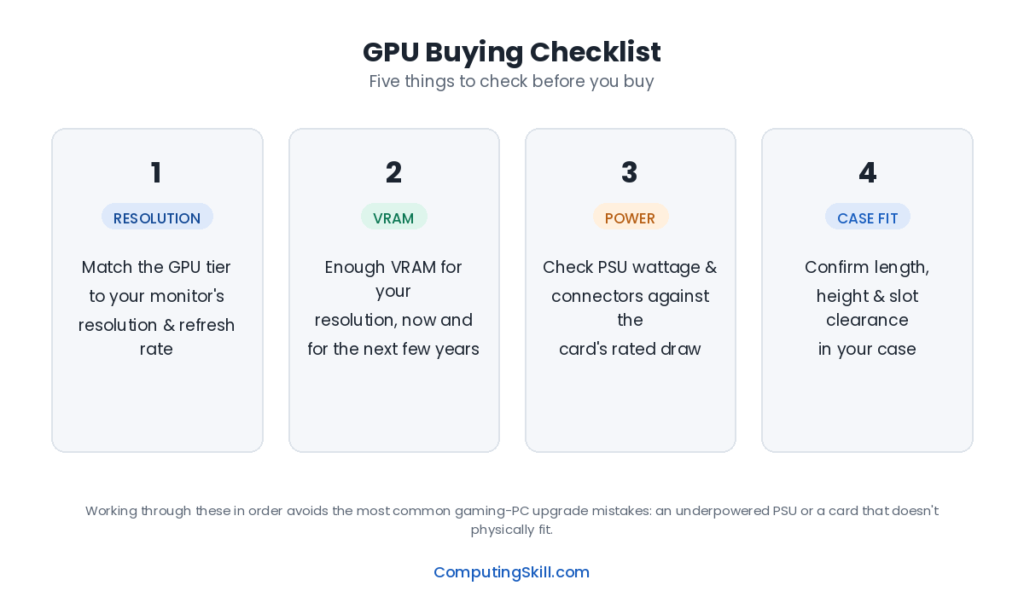
The GPU, or graphics processing unit, is the component responsible for rendering everything you see on screen — from the desktop and video playback to complex 3D game worlds. Unlike a CPU, which is built to handle a wide variety of sequential tasks quickly, a GPU is built to do enormous numbers of simple calculations in parallel. That design makes it the right tool for the specific, repetitive math behind rendering pixels, and it’s why GPU choice has become the single biggest factor in gaming performance and in growing fields like video editing, 3D work, and AI.
How a GPU Works
Where a CPU might have a handful to a few dozen cores optimized for flexibility, a GPU packs thousands of much simpler cores (branded CUDA cores by NVIDIA and Compute Units by AMD) optimized for doing the same operation across huge batches of data simultaneously. Rendering a 3D scene means calculating the color, lighting, and position of millions of pixels and vertices — work that splits naturally across thousands of parallel cores far better than it would across a few fast CPU cores.
The GPU has its own dedicated high-speed memory, called VRAM, which stores textures, frame buffers, and other data it needs instant access to. The connection between the GPU chip and its VRAM (the memory bus) and the type of memory used (like GDDR6 or GDDR7) together determine how much data can move per second, which is often called memory bandwidth.
A GPU’s boost clock describes how fast its core can run under load, similar to a CPU. But because a GPU’s performance comes primarily from having so many cores working together, boost clock alone tells you much less about real-world performance than core count and architecture generation do. A newer architecture running at a modest clock speed can comfortably outperform an older architecture running at a higher one, because each generation typically improves how efficiently those parallel cores get used.
Modern GPUs also include specialized hardware beyond the main rendering cores: dedicated units for ray tracing (simulating realistic light behavior) and AI-accelerated upscaling technologies that render a scene at a lower resolution internally and use machine learning to reconstruct a sharper image, boosting frame rates with a relatively small quality tradeoff.
Key Specs to Look At When Choosing a GPU
| Spec | What It Means | Why It Matters |
|---|---|---|
| VRAM | Dedicated video memory capacity | Limits texture quality, resolution headroom, and how future-proof the card is; running out causes stutter, not just lower quality |
| Memory Type & Bus Width | e.g. GDDR6 vs GDDR6X vs GDDR7, and bus width in bits | Together determine memory bandwidth, which affects performance at higher resolutions |
| Core Count | Number of parallel shading cores (CUDA cores / Compute Units) | A strong general indicator of raw rendering throughput within the same architecture |
| Boost Clock | Peak sustained core speed under load | Matters most when comparing cards within the same generation and core count |
| TDP | Power draw and heat output under load | Determines PSU wattage needed and case cooling/airflow requirements |
| Architecture / Generation | The underlying chip design generation | Newer architectures are usually more efficient per core and per watt, not just faster |
A look at how this plays out across tiers:
| Model | VRAM | Memory Bus | TDP | Recommended PSU |
|---|---|---|---|---|
| GeForce RTX 4060 | 8 GB GDDR6 | 128-bit | 115W | 500W+ |
| GeForce RTX 4070 Super | 12 GB GDDR6X | 192-bit | 220W | 650W+ |
| GeForce RTX 4080 | 16 GB GDDR6X | 256-bit | 320W | 750W+ |
| GeForce RTX 4090 | 24 GB GDDR6X | 384-bit | 450W | 850W+ |
Notice VRAM and TDP both climb steadily with tier — the flagship card needs meaningfully more power and pairs with a much larger recommended PSU than the entry-level card.
How to Choose the Right GPU for Your Build
- 1080p / entry gaming: An 8GB card in the entry tier handles most current games comfortably at 1080p on medium-to-high settings. This is also a sensible tier for esports-focused, high-refresh-rate play where frame rate matters more than maxed-out visual settings.
- 1440p / mid-range gaming: A 12GB card in the mid-range tier is the sweet spot for most gamers today, offering strong performance at 1440p with room to enable ray tracing or upscaling in demanding titles.
- 4K / high-end gaming: Cards with 16GB or more VRAM and higher core counts are built for 4K, where both texture memory demands and raw rendering workload increase substantially over 1440p.
- Flagship / enthusiast: The highest tier targets uncompromised 4K performance, heavy ray tracing, and high-refresh 4K, and often doubles as a strong choice for GPU-accelerated creative and AI workloads.
- Non-gaming (creative/AI work): If you do video editing, 3D rendering, or machine learning work, VRAM capacity often matters more than gaming benchmarks — check whether your specific software benefits from a particular brand’s acceleration features.
Whatever tier you land on, check it against your CPU using the PC Bottleneck Calculator, and confirm your case has enough physical clearance and airflow — high-end cards are large and run hot.
Common Mistakes
- Buying a powerful GPU with too little VRAM for its tier. A fast core paired with a thin memory bus or low capacity can leave performance on the table at higher resolutions, or cause stutter as VRAM fills up in newer games.
- Ignoring the power supply. High-end GPUs can draw several hundred watts on their own. Check the manufacturer’s recommended PSU wattage, not just your total system estimate, and verify your PSU has the correct power connectors.
- Overspending on resolution you won’t use. A 4K-class GPU is wasted on a 1080p monitor. Match the card to your actual (or realistically planned) display, not an aspirational one.
- Forgetting physical fit and cooling. Flagship cards can be very long and thick, and some cases or side panels won’t accommodate them. Check clearance before buying.
- Comparing clock speed across different architectures. A higher boost clock on an older or lower tier card does not mean it’s faster than a newer card with a lower clock — architecture generation matters enormously.
- Assuming VRAM is the only thing that matters. Plenty of budget cards ship with generous VRAM but weak core performance, and the memory capacity alone won’t compensate for that.
Frequently Asked Questions
How much VRAM do I actually need?
For 1080p gaming, 8GB is generally sufficient for most titles today. For 1440p, 12GB is a safer baseline, and for 4K or heavy modding/creative work, 16GB or more is worth prioritizing. See our VRAM guide for a deeper breakdown.
Is a higher boost clock always better?
Only when comparing cards within the same architecture generation and similar core counts. Across generations, architectural efficiency improvements usually matter far more than raw clock speed.
Do I need to match my GPU brand to my CPU brand?
No. GPUs from either NVIDIA or AMD work with CPUs from either AMD or Intel — there’s no brand-matching requirement between the two components.
What PSU wattage do I need for my GPU?
Check the manufacturer’s recommended system wattage for that specific card, then add headroom for your CPU and other components. Our PSU Calculator can estimate total system needs.
Why does my GPU usage sit low even in demanding games?
That usually points to a CPU bottleneck, where the graphics card is waiting on the processor to feed it work. Check our GPU bottleneck guide for how to diagnose it.